 Waiel Al-Shujaa
1c7f47bfbb
Word renders Arabic and Hebrew bold from w:bCs and italic from w:iCs, not from
w:b and w:i. The emitter writes only the Latin half, so clicking Bold on Arabic
text changes nothing on screen.

The pair is in one managed group, so the two halves stay consistent while the
value is unchanged and the original bytes survive untouched. The moment the
value changes, though, the group is rebuilt from the model and only w:b comes
back:

  plain Arabic run, Bold on
    before  <w:rFonts w:cs="Traditional Arabic"/><w:szCs w:val="28"/>
    after   <w:rFonts w:cs="Traditional Arabic"/><w:b/><w:szCs w:val="28"/>

  already bold, Bold off then on
    the w:bCs the document arrived with is gone for good

Emit the Cs twin alongside its Latin half. That is what Word writes for either
script, and what this emitter already does one property over: RUN_MANAGED_GROUPS
pairs w:sz with w:szCs, and modelRPrChildren has always written both. Executed
against this revision's parent:

  mergeRPrModel('', { bold: true })          -> <w:rPr><w:b/></w:rPr>
  mergeRPrModel('', { sizeHalfPoints: 28 })  -> <w:rPr><w:sz w:val="28"/><w:szCs w:val="28"/></w:rPr>

A run whose flag has not changed still keeps its original bytes exactly.

What this does not fix, and why it is left alone. The model holds one flag per
property and cannot tell w:b from w:b plus w:bCs, so any path that rebuilds a run
from the model writes the Cs twin whether or not the original carried it.
Rejecting a tracked format revision is such a path. The same is already true of
w:szCs today.

The model does not see the Cs flags at all, either: the parser reads w:b and w:i
and nothing complex-script, so a run carrying w:bCs without w:b arrives with no
bold at all and any rebuild drops it. That is unchanged here, and it is the same
gap seen from the other side.

The obvious repair is to read the previous properties back out of the w:rPr that
w:rPrChange nests. I built that and took it out again, because the snapshot the
editor keeps is a string with no namespace or entity context, and three separate
shapes of the fix each broke on that:

  taking the nested w:rPr whole carries the namespace declarations it inherited,
  so a property under a prefix bound above it returns unbound and the part no
  longer parses;

  taking only the six toggle and size elements avoids that, but the names are
  compared lexically, so a w:rPrChange that rebinds the w prefix to another
  namespace launders a foreign w:bCs into the document, and an ignorable wrapper
  under a Unicode prefix hides history that is then restored as though it were
  the run's own;

  a w:val written as a numeric character reference survives the round trip
  already escaped, so passing it through again yields a value that no longer
  parses as a number.

Doing this properly means carrying real namespace and entity context through the
revision snapshot, which is a change to the editor's model rather than to this
emitter, and it belongs to w:sz exactly as much as to w:b.

This adds w:bCs and w:iCs to every newly bold or italic run rather than only to
complex-script ones, matching Word. Four assertions in textbox-edit.test.ts
pinned the old byte output and are updated; the run they leave alone is the one
whose bold was never toggled, which still round-trips verbatim.
GenOffice
The world's first full-featured open-source AI Office suite.





GenOffice is a free, open-source alternative to Microsoft Office for macOS,
Windows, and Linux, built around AI editing as a first-class workflow rather
than a bolted-on chat box. It opens and saves the real Microsoft Office
formats — Word (.docx), Excel (.xlsx), PowerPoint (.pptx) — and edits
PDF and Markdown too: a word processor, spreadsheet, presentation editor,
PDF editor, and Markdown editor as six Electron apps sharing one engine
layer.
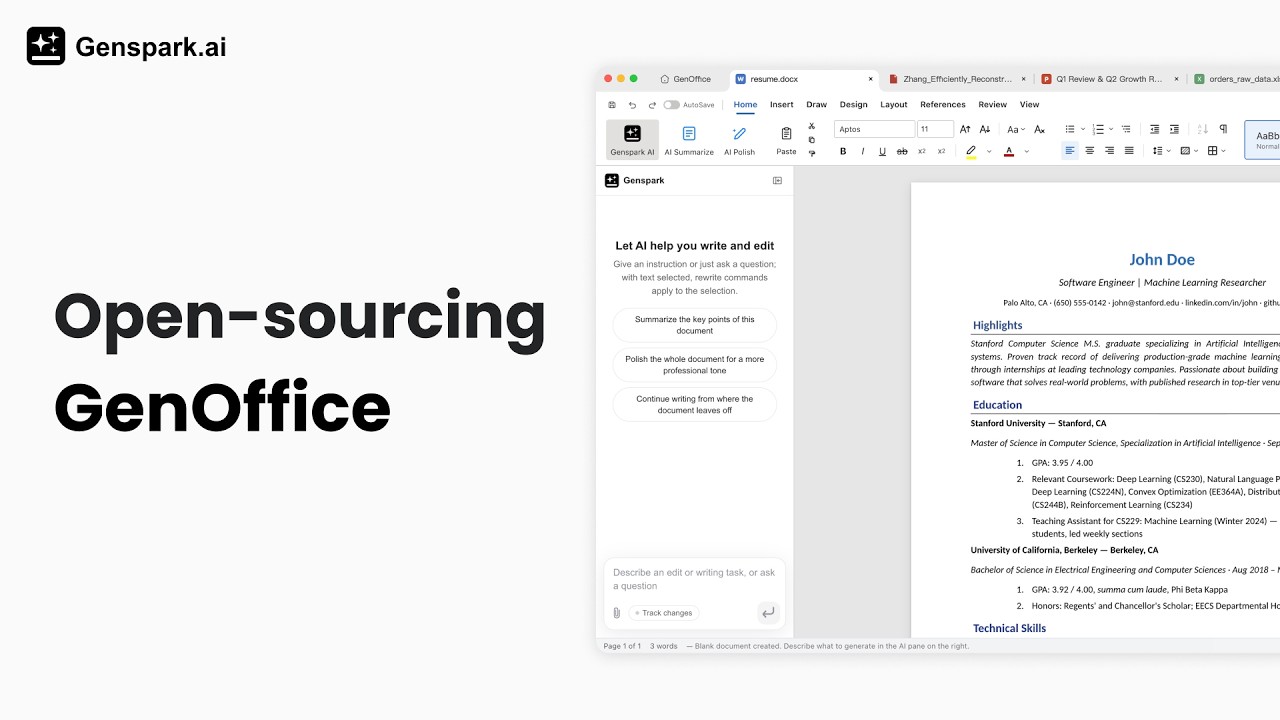
Watch the demo video on YouTube
Features
- Real PDF editing — retype text and edit images in the page itself, original fonts preserved.
- Microsoft Word–compatible, byte-preserving
.docxediting — only what you touched changes; Word never notices. - Word-faithful pagination — page breaks land where Word puts them.
- Excel-compatible spreadsheets — in-house engine with a Rust
.xlsxsidecar, own charts, pivot tables, slicers. - PowerPoint-compatible presentations — in-house
.pptxengine with masters, layouts, smart guides, non-destructive crop. - Markdown to Word, fully local — the same OOXML engine, no Pandoc, no cloud.
- AI that edits documents — block-level edits with snapshots and diffs, document-aware agents.
- Agent tools built in — web/image search, image generation, media analysis.
- Light / dark / system themes.
- macOS, Windows, Linux.
- Free & open-source (Apache-2.0).
Download
| Platform | Requirements | Download |
|---|---|---|
| macOS — Apple Silicon (arm64) | macOS 11+ | GenOffice-0.6.101-arm64.dmg |
| macOS — Intel (x64) | macOS 11+ | GenOffice-0.6.101.dmg |
| Windows (x64) | Windows 10+ | GenOfficeSetup-v0.6.101.exe |
| Linux — Debian / Ubuntu | x86_64, glibc 2.34+ (Ubuntu 22.04 or newer) | genoffice_0.6.101_amd64.deb |
| Linux — Fedora / RHEL / openSUSE | x86_64, glibc 2.34+ (Fedora 35+, RHEL 9+, Leap 15.6+) | genoffice-0.6.101.x86_64.rpm |
| Linux — other distributions | x86_64, glibc 2.34+, FUSE 2 | GenOffice-0.6.101.AppImage |
All builds come from main; the macOS and Windows installers are signed.
Older versions are on the Releases page.
Installing on Linux
The deb installs with apt — it pulls in the dependencies and adds GenOffice to the applications menu:
sudo apt install ./genoffice_0.6.101_amd64.deb
On Fedora / RHEL-family / openSUSE, install the rpm instead:
sudo dnf install ./genoffice-0.6.101.x86_64.rpm     # Fedora / RHEL family
sudo zypper install ./genoffice-0.6.101.x86_64.rpm  # openSUSE
The AppImage instead runs in place: install the FUSE 2 runtime
(sudo apt install libfuse2; on Ubuntu 24.04 the package is libfuse2t64),
make the file executable, then run it:
chmod +x GenOffice-0.6.101.AppImage
./GenOffice-0.6.101.AppImage
Apps
| App | Product | What it is |
|---|---|---|
apps/docs |
GenOffice Docs | .docx word processor. Byte-preserving round trip: only dirty paragraphs are regenerated (paragraph patch), everything else in the original file is kept byte-for-byte, so opening and saving never breaks layout in Word. Paginated view whose line metrics reproduce the original document's layout, tracked changes, comments, styles, equations, ink. |
apps/sheets |
GenOffice Sheets | .xlsx spreadsheet. UI built on the open-source Univer core (Apache-2.0) with a large layer of in-house extensions; .xlsx import/export runs through an in-house Rust sidecar (calamine + IronCalc), charts are rendered in-house (Konva), plus pivot tables, slicers, conditional formatting, and formula tracing. |
apps/slides |
GenOffice Slides | .pptx presentations. In-house .pptx parse/render/edit engine with masters, charts, cropping, ink, and text shaping (HarfBuzz metrics). |
apps/pdf |
GenOffice PDF | .pdf viewer/editor on pdf.js (Apache-2.0) + pdf-lib (MIT): annotations, forms, outlines, stamps, signatures, page operations, and printing support. True text editing — paragraph selection with in-block reflow, alignment restoration, original-font preservation — and content-stream image insert/edit, all rewriting page content streams through PDFium wasm (BSD-3-Clause) with subset-embedded fonts — no cover-up annotations. |
apps/markdown |
GenOffice Markdown | .md / .markdown editor: Tiptap block editor over plain Markdown files — headings, lists, tables, images, code blocks — saved back as plain Markdown, hosted in shell tabs. |
apps/shell |
GenOffice | The suite shell: home screen, tabbed hosting of the five editors, light/dark/system theme, auto-update. |
Every app embeds the same AI panel: block-granular AI editing with version snapshots and diffs in docs, a tool-calling agent over workbook/slide/PDF state in the others.
The whole suite ships light / dark / system UI themes built on shared design
tokens (packages/ui), with a CI guard that keeps chrome colors on the token
system. Document surfaces stay light in dark mode — Word-style dark chrome
around white paper — so files render and export identically in both themes.
AI backend (Genspark). The apps sign in to a Genspark account through a
device-code flow; no model API key is entered or stored by the user. Model
calls route through the Genspark proxy (Claude, GPT, and Gemini families).
The same account also unlocks the Genspark ("gsk") tool endpoints the agents
build on — web and image search, image generation and editing,
image/audio/video analysis, and audio transcription — all reachable through
packages/ai-search for anyone extending the agent layer.
Engine packages
All pure TypeScript, no Electron dependency, unit-tested (except the UI kit):
packages/docx-engine— docx parsing → block tree (withdocxIndexanchors and passthrough), OOXML fragment generation, byte-level paragraph patching.packages/pptx-engine/packages/pptx-render— pptx model and rendering.packages/file-parse— text extraction for AI attachments (office formats, text formats).packages/agent-core— the AI agent loop and skill composition shared by every app.packages/ai-provider— provider abstraction and streaming for the model backends.packages/ai-search— Genspark auth + web/image search tools.packages/i18n,packages/ui,packages/project-store,packages/electron-utils— shared i18n core, React UI kit, recent-files store, and Electron main-process helpers.
Development
npm install
npm run fixtures     # generate test .docx fixtures
npm test             # engine + app unit tests (docs/sheets/slides need no display)
npm run typecheck    # tsc --noEmit across every workspace
npm run dev          # all five editors + shell against Vite dev servers
npm run dev:docs     # a single app (same pattern works per workspace)
npm run dist:mac     # package macOS dmg (regenerates third-party notices)
npm run dist:win     # package Windows nsis installer
npm run dist:linux   # package Linux AppImage + deb + rpm
The sheets app additionally needs a Rust toolchain for its xlsx sidecar
(cargo on PATH); npm run build -w @genoffice/sheets compiles it
automatically.
Local UI/e2e driver scripts (Playwright + Electron, for local acceptance, not
committed by default) live in scripts/drivers/.
Architecture notes (docx round trip)
open docx ─► archive original by hash (never touched)
          ─► docx-engine parses word/document.xml top-level elements (w:p / w:tbl / …)
          ─► Block tree, each block anchored by docxIndex + original XML slice
          ─► Tiptap streaming editor (manual + AI editing, dirty tracking)
save      ─► dirty blocks → OOXML fragments (referencing existing styles only)
          ─► splice into original document.xml (untouched blocks keep original bytes)
          ─► repack zip; all other entries copied byte-for-byte
The same philosophy holds in sheets and slides: the original file is the source of truth, edits are applied as narrow patches, and everything the editor didn't touch survives the round trip untouched.
FAQ
Is GenOffice free? Yes. GenOffice is free and open-source under the Apache-2.0 license — no trial, no paid tier for the apps themselves.
Can GenOffice open Microsoft Word, Excel, and PowerPoint files?
Yes. GenOffice opens and saves native .docx, .xlsx, and .pptx files.
Saving is byte-preserving: parts of the file you didn't touch are written
back byte-for-byte, so documents keep working in Microsoft Office.
Does GenOffice work offline? Document editing is fully local — files never leave your machine to be opened, edited, or saved. The AI features (agents, search, image tools) sign in to a Genspark account and need a network connection.
Can GenOffice edit PDF files? Yes — real PDF text and image editing that rewrites the page content stream with the original fonts preserved, not cover-up annotations.
Security
See SECURITY.md for the process security posture (renderer sandboxing, IPC validation, external-link gating) and the threat models for AI-generated content.
Acknowledgements
GenOffice would not be possible without these open-source projects:
- Electron — the desktop runtime for every app.
- Univer (Apache-2.0) — the spreadsheet UI core that Sheets extends.
- PDFium (BSD-3-Clause, bundled via @embedpdf/pdfium) — the content-stream engine behind true PDF text and image editing.
- pdf.js (Apache-2.0) and pdf-lib (MIT) — PDF rendering and document assembly.
- Tiptap / ProseMirror — the block editors in Docs and Markdown.
- Konva — canvas rendering for Slides and Sheets charts.
- HarfBuzz (wasm) — text-shaping metrics for complex scripts.
- calamine and IronCalc — the read and calc layers of the Rust xlsx sidecar.
- Liberation, Carlito, Caladea, and Noto CJK fonts (OFL/Apache-2.0) — bundled document fonts.
Third-party notices
npm run notices regenerates the bundled third-party license summary
(tools/gen-third-party-notices.mjs); all runtime dependencies are
MIT/Apache-2.0/BSD-3-Clause/OFL, and the bundled fonts (Liberation, Carlito,
Caladea, Noto CJK subsets) are OFL/Apache.
License
GenOffice is licensed under the Apache License 2.0, with one
exception: the ee/ directory is reserved for future enterprise modules and
is covered by the GenOffice Enterprise License.
The GenOffice and Genspark names and logos are trademarks of Mainfunc, Inc. The Apache-2.0 license does not grant permission to use them (see section 6); forks should use their own branding.